Containerization-devops
🐳 Docker Compose – Theory & Important Commands
📌 Introduction
Docker Compose is a tool used to define and manage multi-container Docker applications using a YAML configuration file called docker-compose.yml.
Instead of running multiple docker run commands, Docker Compose allows you to define all services in a single file and start them with one command.
It is mainly used for:
- Multi-container applications
- Microservices architecture
- Development and testing environments
- Managing networks and volumes automatically
📌 Why Docker Compose?
- Run multiple containers together
- Automatic network creation
- Service-to-service communication using service names
- Centralized configuration
- Easy start/stop of entire application stack
- Infrastructure as Code (IaC)
📌 Basic Structure of docker-compose.yml
services:
  web:
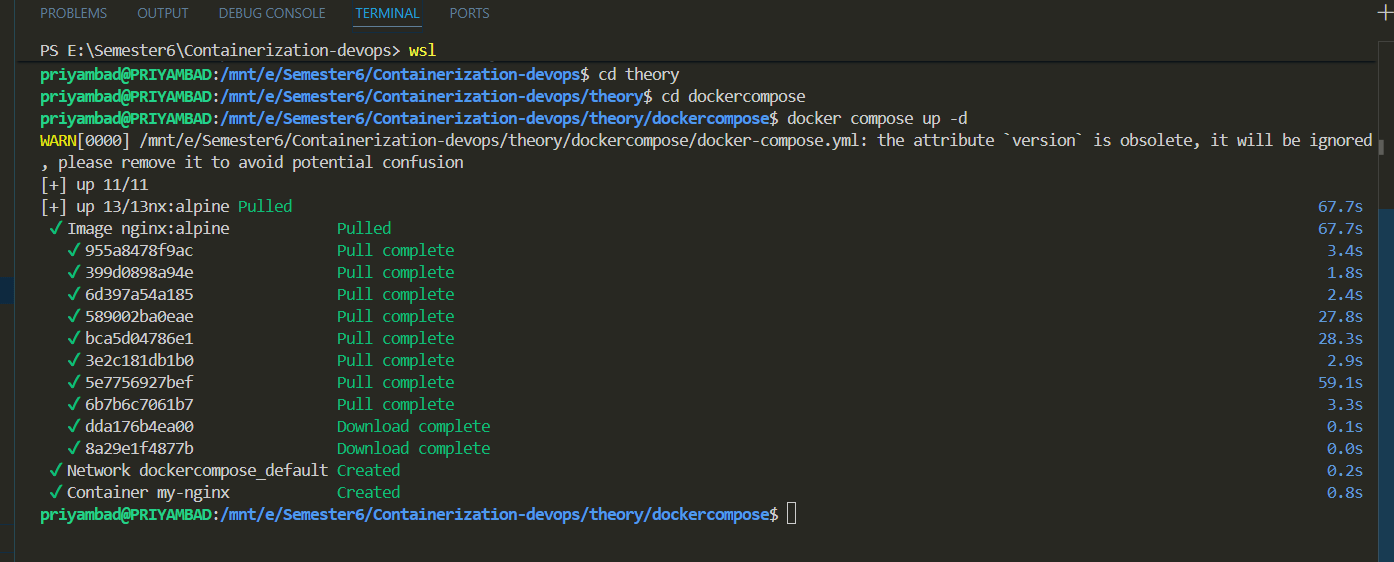
    image: nginx:alpine
    container_name: my-nginx
    ports:
      - "8080:80"
    volumes:
      - myvolume:/usr/share/nginx/html
    networks:
      - mynetwork

volumes:
  myvolume:

networks:
  mynetwork:
📌 Important Docker Compose Commands
Start Services: docker compose up
Start in Detached Mode: docker compose up -d
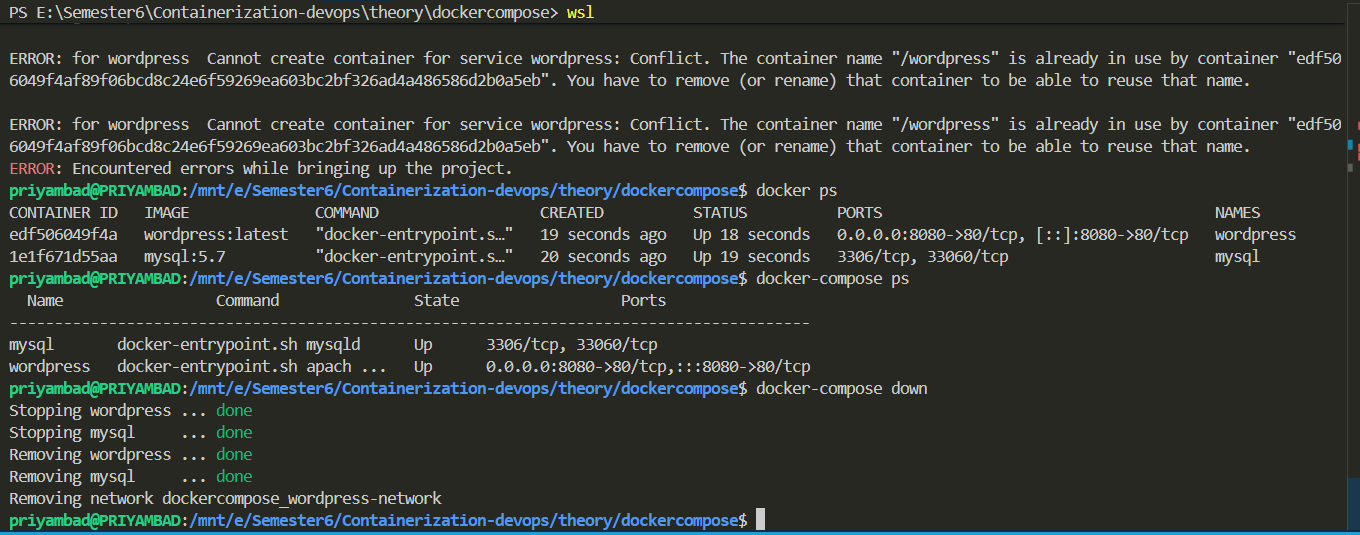
Stop Services: docker compose down
Stop and Remove Volumes: docker compose down -v
View Running Services: docker compose ps
View Logs: docker compose logs
View Live Logs: docker compose logs -f
Rebuild Services: docker compose up –build
Pull Latest Images: docker compose pull
Restart Services: docker compose restart
📌 Key Concepts
Services
Each container is defined as a service inside docker-compose.yml.
Networks
Docker Compose automatically creates a default network. All services can communicate using service names.
Example:
If service name is web, other containers can access it using:
http://web:80
Volumes
Volumes are used for:
- Persistent storage
- Sharing data between containers
- Preventing data loss after container removal
📌 Difference Between docker run and docker compose
| docker run | docker compose |
|---|---|
| Single container | Multi-container |
| Manual configuration | YAML-based configuration |
| No automatic networking | Automatic networking |
| Hard to scale | Easy scaling |
| Complex for large apps | Organized & structured |
📌 Real-World Use Case
Example stack:
- Frontend (React)
- Backend (Node.js)
- Database (MySQL)
All services can be defined in a single docker-compose.yml file and started using:
docker compose up -d
This simplifies deployment and environment replication.
📌 Advantages of Docker Compose
- Simplifies multi-container management
- Reduces manual configuration
- Improves development workflow
- Enables quick environment setup
- Better scalability and maintainability
📌 Methods to Scale in Docker Compose
1️⃣ Scaling Using –scale Flag
You can scale a service directly from the command line.
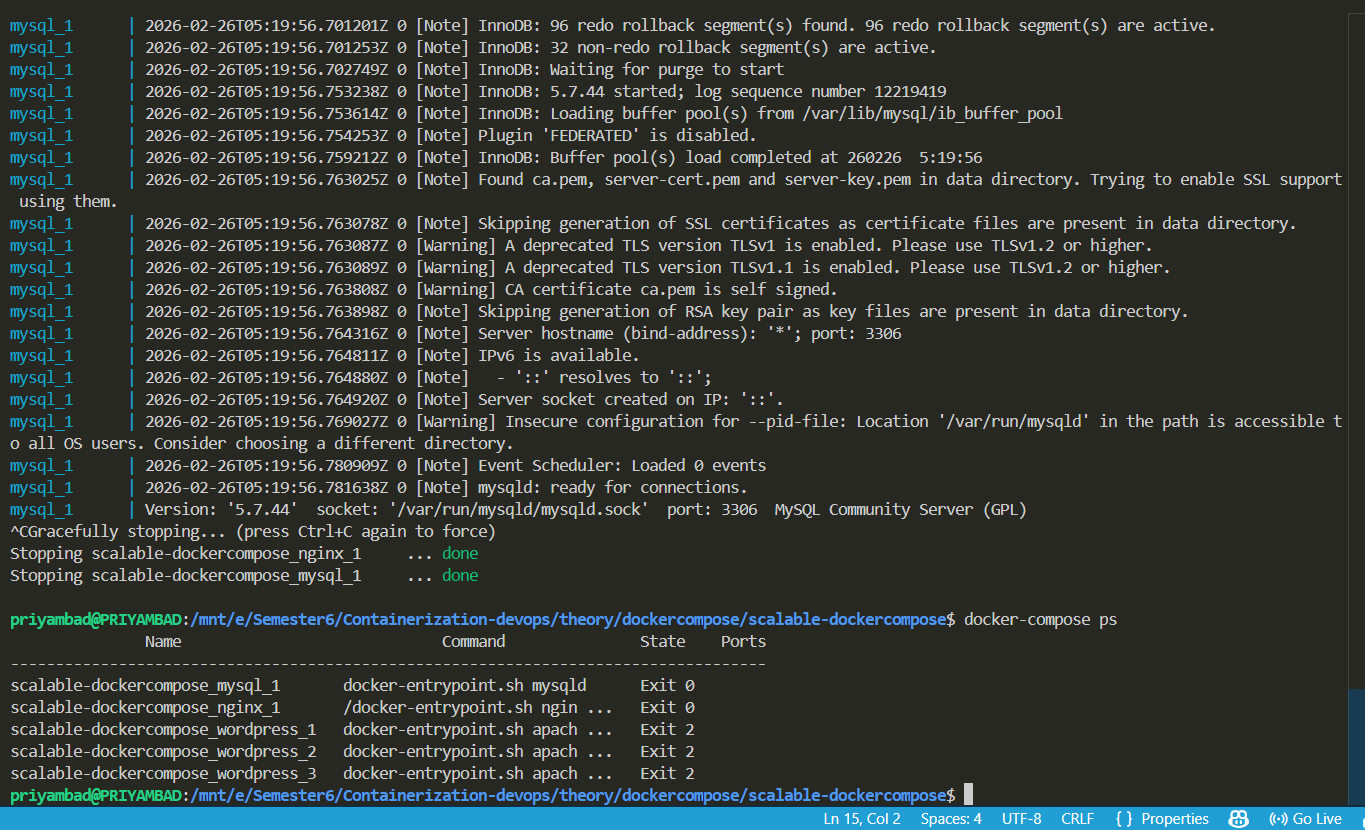
Example: docker compose up -d –scale web=3
This command will start 3 containers of the service named web.
Docker automatically:
- Creates multiple container instances
- Connects them to the same network
- Assigns unique container names
Example container names:
web-1
web-2
web-3
2️⃣ Scaling Using deploy.replicas (Compose File Method)
You can define replicas inside docker-compose.yml.
Example:
services:
  web:
    image: nginx:alpine
    deploy:
      replicas: 3
⚠ Note:
The deploy key works properly with Docker Swarm mode.
It is not fully supported in normal docker compose standalone mode.
📌 Load Balancing in Docker Compose
When multiple replicas run:
- Docker uses internal DNS-based service discovery.
- Containers communicate using service name.
- For external load balancing, Nginx or HAProxy can be used.
Example architecture:
Client → Nginx → web-1
web-2
web-3
 —
—
📌 Important Commands for Scaling
Start and scale: docker compose up -d –scale web=3
Increase replicas: docker compose up -d –scale web=5
Check running containers: docker compose ps
Stop services: docker compose down
📌 Benefits of Scaling
- Improved performance
- High availability
- Better resource utilization
- Fault tolerance
- Horizontal scaling support
Conclusion
Docker Compose simplifies the deployment and management of multi-container applications by allowing services, networks, and volumes to be defined in a single YAML file. It enhances productivity, ensures consistency, and is widely used in modern DevOps and microservices environments.